Black Friday is one of the best times for you to lock in powerful AI writing tools at reduced prices. These platforms can help you produce more content, improve SEO performance, and streamline workflows so you can focus on strategy rather than repetitive drafting. Save on powerful AI writing tools and pick a solution that matches your content goals — whether you need deeper SEO research, reliable long-form drafting, or a steady pipeline of social posts.
This guide helps you compare strengths and choose the right tool for your workflow.
Top Picks
|
Category |
Product |
Price |
Score |
|---|---|---|---|
|
🏆 Best For SEO Research |
$99 |
98/100 |
|
|
🎯 Best For Keyword Research |
$79 |
93/100 |
|
|
💰 Best Value Writer |
$44 |
96/100 |
|
|
🚀 Best For Multi-Channel Publishing |
$89 |
92/100 |
|
|
🎨 Best For Content Ideation |
$79 |
85/100 |
|
|
🔰 Best For Product Guides |
$69 |
94/100 |
How We Picked These Tools
You want a tool that saves time, produces publishable content, and fits your workflow. We prioritized: relevance to your goals (SEO research vs.
ideation vs. long-form drafting), output quality and accuracy, available templates and models, integrations (WordPress, publishing or social tools), pricing/value during Black Friday, and real-user feedback on reliability and support.
Each pick excels in at least one area that directly impacts your content ROI, so you can choose the platform that matches the type of content you create and how you publish it.
NEURONwriter
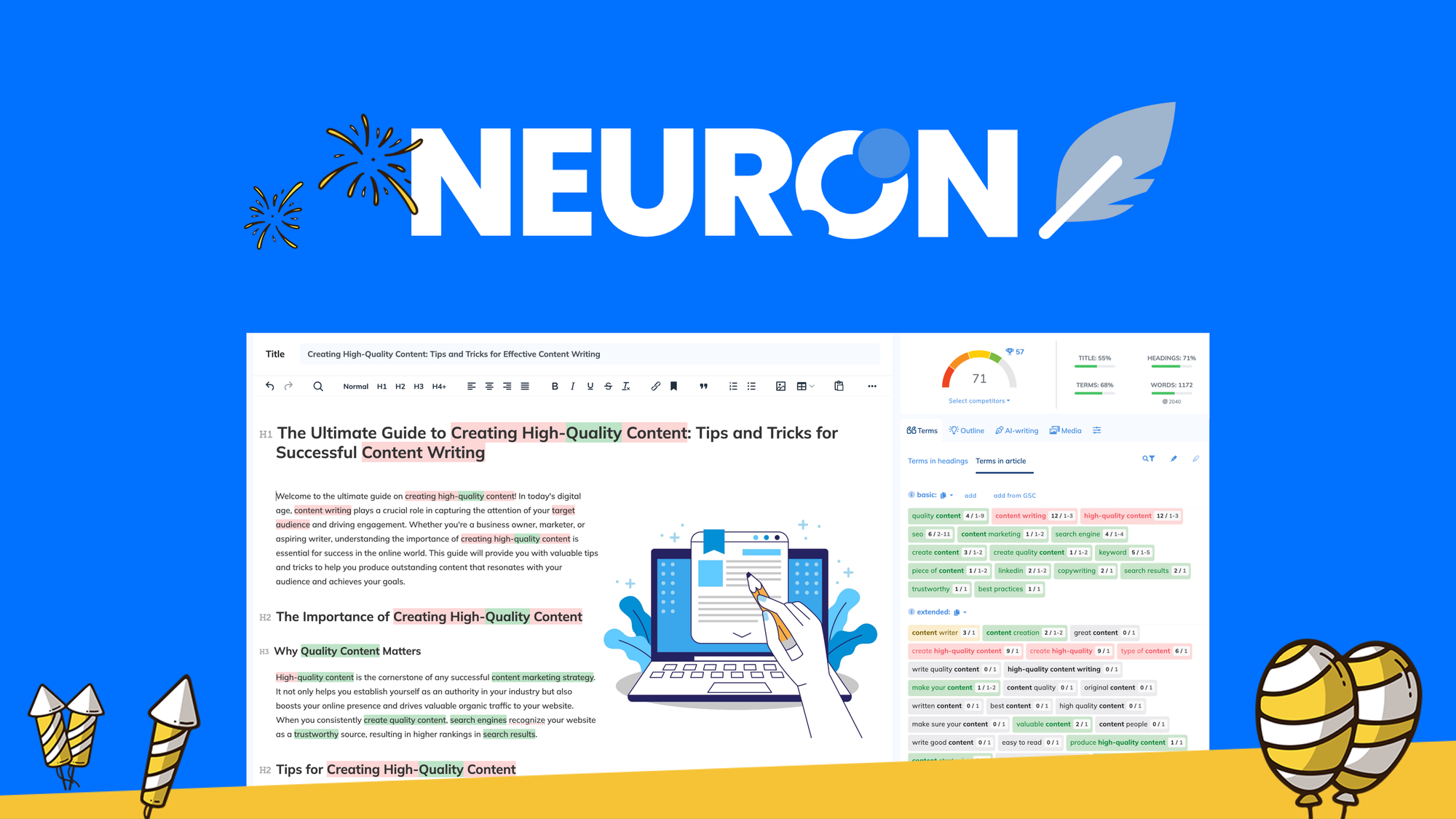
If you write content that needs to rank, NEURONwriter helps you plan and optimize it so your pages stand a better chance in search results. You get SERP-aware guidance (they pull SERP data via Moz), support for many languages, and a workflow that walks you from research to a publish-ready draft.
For everyday use you can run topic and semantic analysis to shape blog posts or product pages; for special projects it helps you map content gaps and prioritize pieces likely to rank. If you don’t need built-in AI on day one, you can still combine exports with ChatGPT or your editor and get value fast.
What People Say
People who use NEURONwriter often highlight its practical SEO focus — reviewers mention clearer keyword opportunities, useful competitor analysis, and real ranking improvements, though some note advanced features (like AI integrations or plagiarism checks) vary by plan.
🗣️ Avinash.Katta
Great SERP analysis and competitor research — the tool pinpoints semantic keywords and helps you shape content to rank. The interface ties research, drafting, and optimization into one workflow.
🗣️ fiona05
It really helps identify opportunities so pages start appearing on the first page. We used the basic plan (no AI integrations) and just moved content between NEURONwriter and ChatGPT; you still get measurable ranking gains.
Integrations
|
Software |
Integration Quality |
|---|---|
|
Moz (SERP data) |
Direct — used for SERP analysis and competitor insights |
|
ChatGPT |
Available on higher plans; on basic plans you can copy/paste between tools (manual workflow) |
|
Content export / copy |
Manual — easy to move drafts into your editor or other AI tools |
Security Features
|
Feature |
Protection Level |
|---|---|
|
Encryption (transit) |
Standard SSL/TLS — confirm specifics with vendor |
|
Account access controls |
Basic team and user permissions (details depend on plan) |
|
Plagiarism check |
Available but has known limitations in detecting all duplicates |
Collaboration
Supports team accounts and shared projects depending on the plan; you can assign projects and work on drafts together, with plan-based limits on seats and features.
Key Benefits
- SERP-driven content suggestions using Moz data
- Supports targeting in 170+ languages
- Helps identify semantic terms and content gaps
- Streamlines planning from research to publish-ready drafts
Current Price: $99.00
Rating: 4.9 (total: 794+)
WriterZen

WriterZen bundles keyword research, clustering, topic discovery and on-page optimization into one workspace so you can skip juggling five different tools. For everyday use you can pull keyword ideas, group them with the Golden Filter, and draft optimized articles without constant tab switching.
For special projects — audits, content planning sprints or client work — the Keyword Planner and clustering save time when you’re handling hundreds or thousands of keywords. If you want a practical, all-in-one SEO workflow that helps you move from idea to publish-ready copy, WriterZen is worth testing alongside your existing toolkit.
What People Say
Users often highlight WriterZen’s practical SEO focus — reviewers praise the keyword research, clustering and the way Topic Discovery + Golden Filter surface useful opportunities. Several notes mention it streamlines a multi-tool workflow into one place, though a few users raised questions about the credit system.
🗣️ Jake.Tibiski
The keyword research and clustering modules are solid — I use them all the time and they replaced pricier monthly tools in my workflow.
🗣️ 107611327196794264222
Everything felt like one place instead of a Franken-stack. Topic Discovery, Golden Filter and the Keyword Planner sped up my prep time, and writing plus optimizing in the same workspace cut down on tab-switching.
Integrations
|
Software |
Integration Quality |
|---|---|
|
Content export / copy |
Manual — easy to move drafts and exports into your editor or other AI tools |
|
Third-party SEO tools (SEMRush / Ahrefs) |
Indirect — you can compare and migrate data, but there’s no native sync |
|
Support / Email |
Direct — vendor support responds to account and credit questions |
Security Features
|
Feature |
Protection Level |
|---|---|
|
Encryption (transit) |
Standard SSL/TLS — typical web encryption for data in transit |
|
Account and team permissions |
Basic — team seats and access controls vary by plan |
|
Plagiarism check |
Available — useful but not a guarantee against all duplicates |
Collaboration
You can work with teammates via plan-based team accounts and shared projects; assignments, shared drafts and basic permission controls help coordinate work but seats and features depend on your plan.
Key Benefits
- Unified keyword research and clustering
- Topic Discovery to generate content ideas
- Golden Filter to surface low-competition opportunities
- Keyword Planner that handles large lists
- Drafting and optimization in a single workspace
- Training resources and Academy content
Current Price: $79.00
Rating: 4.65 (total: 266+)
Writeseed – AI Content Writer

You can use Writeseed to crank out everything from long-form blog posts to quick product descriptions and YouTube descriptions, and it’s set up so you don’t have to hop between half a dozen tools. For day-to-day work you’ll find templates for emails, ads, social posts and SEO-ready long articles that give you a solid draft to polish.
For bigger projects or seasonal pushes — think launches or Black Friday campaigns — the SEO tools, brand-voice training (via URL or uploaded text) and the Chrome extension speed up production and keep things consistent. It’s not magic — you’ll still want to edit for tone and nitty-gritty accuracy — but if you want a practical writing assistant that handles volume, templates and on-page SEO in one place, Writeseed is worth trying.
What People Say
Users frequently praise the SEO-focused features, the ability to build or import brand voices, and the variety of templates. Several reviewers note it speeds up content creation, though a few users recommend fine-tuning output for a truly polished final draft.
🗣️ kontakt1279
I really like the product. It lets you train different brand voices from URLs or uploaded text, and the SEO writer worked well once I switched models — German output was solid too.
🗣️ brianlett19
Automatic SEO optimization actually helped my site and YouTube descriptions got noticeably more search traffic. Unlimited AI images and access to GPT-5 / Claude 4 make it a versatile content hub.
Integrations
|
Software |
Integration Quality |
|---|---|
|
WordPress |
Direct — export and unlimited WordPress options make publishing smoother |
|
Chrome Extension |
Direct — quick access from your browser for in-context writing |
|
Content export / copy |
Manual — easy to move drafts into your editor or other platforms |
Security Features
|
Feature |
Protection Level |
|---|---|
|
Encryption (transit) |
Standard SSL/TLS for data in transit |
|
Account controls |
Basic — plan-based seats and access management |
|
Data privacy options |
Vendor-managed — standard app data handling and privacy policies |
Collaboration
You can collaborate via plan-based team accounts and shared projects; assignments and shared drafts help coordinate work, though advanced seat management depends on your plan.
Key Benefits
- 70+ templates for ads, emails, product pages and long-form articles
- Trainable brand voices via URL or uploaded text
- SEO tools and long-form article writer for 1,000–2,000+ word posts
- Chrome extension and WordPress-friendly export options
- Access to recent large models (GPT-5, Claude 4) and AI images
- Generous plan limits with options for unlimited words
Current Price: $44.00
Rating: 4.78 (total: 135+)
Creaitor.ai
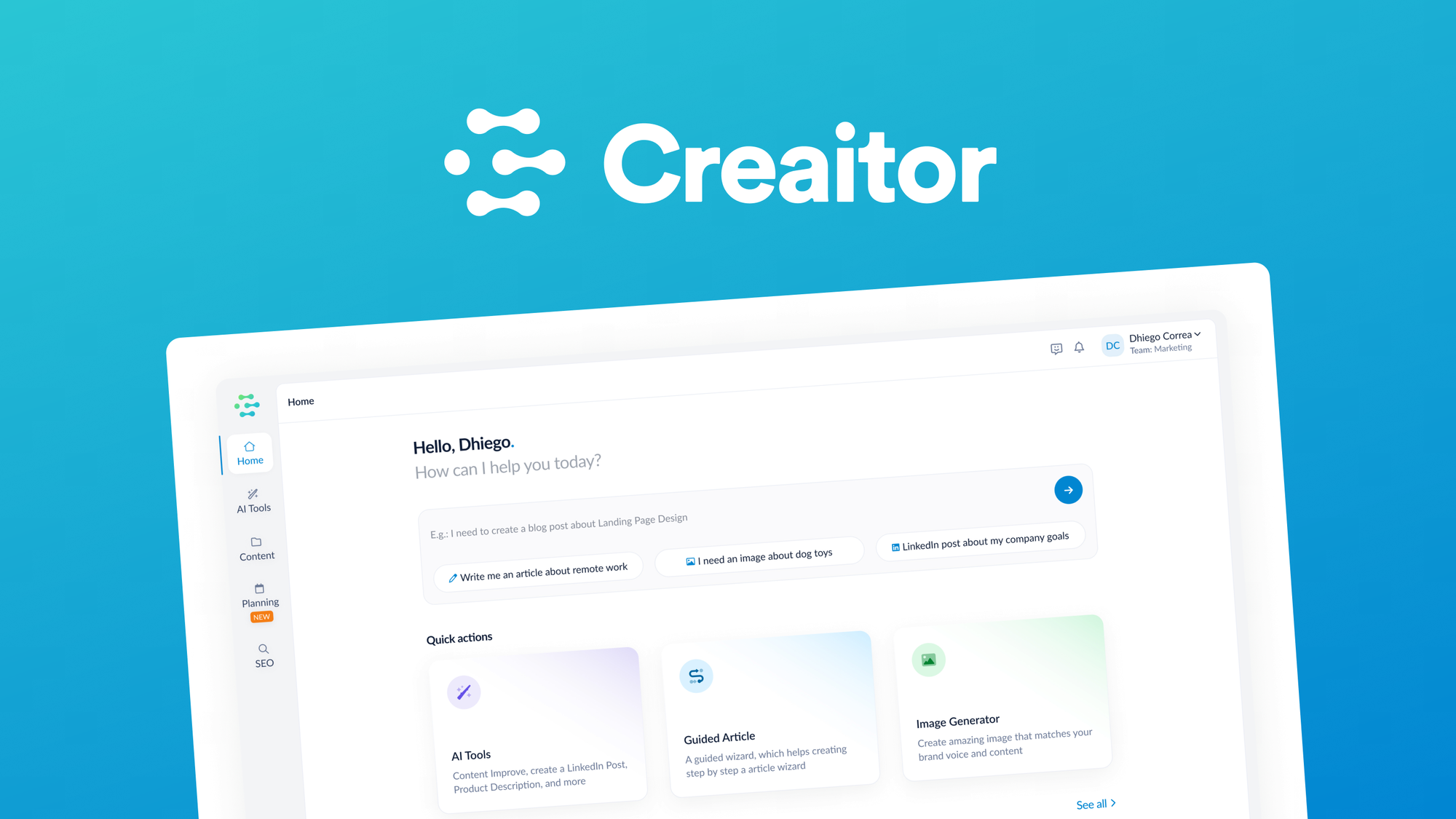
You can use Creaitor.ai as a central writing hub that helps you outline, draft and publish SEO-focused content. For everyday work it’s handy for quick blog drafts, social posts, repurposing content and brainstorming headlines.
When you need to push seasonal campaigns or a Black Friday rush, the Article Wizard, Blog Wizard and SERP Beater help you build structured outlines and keyword-focused drafts faster, and the built-in image generator makes on-theme cover images without leaving the app. The platform can also publish directly to social channels and WordPress, so you spend less time moving files between tools.
It’s not a finish-it-and-forget-it magic pen — long, highly polished articles typically need editing — but if you want a practical place to plan, draft and deploy content with SEO in mind, Creaitor.ai is worth trying.
What People Say
Users commonly praise the SEO-focused tools, the Article/Blog wizards and the social publishing features for speeding up planning and distribution. At the same time, several reviewers note that long-form outputs often need careful editing and some workflows (like SERP Beater) have experienced stability issues for a subset of users.
🗣️ purpletriangle
The platform helped me define a brand voice and generate long-form pieces using the Article Wizard and Blog Wizard. The SEO tools — SERP Beater and keyword clustering — made structuring articles more strategic, and the direct publishing to Facebook, LinkedIn and Instagram smoothed the workflow.
🗣️ 84562
The unlimited AI chat with the latest model gives a lot of value — unlimited prompting alone pays off if you do a lot of drafting and ideation.
Integrations
|
Software |
Integration Quality |
|---|---|
|
WordPress |
Direct — publish drafts straight to WordPress to skip manual copy/paste |
|
Facebook / LinkedIn / Instagram |
Direct — built-in publishing options for social channels |
|
API / Tokens |
Restricted — API token availability exists but usage and permissions can be unclear |
|
Content export / copy |
Manual — easy to move drafts into other editors when needed |
Security Features
|
Feature |
Protection Level |
|---|---|
|
Encryption (transit) |
Standard SSL/TLS for data in transit |
|
Account controls |
Plan-based access and basic seat management |
|
Data privacy options |
Vendor-managed — standard app data handling and privacy policies |
Collaboration
You get a document cloud, shared drafts and plan-based team accounts so you can assign work and collaborate with freelancers or teammates; more advanced seat controls depend on your plan.
Key Benefits
- Article Wizard and Blog Wizard for structured long-form drafts
- SERP Beater and keyword clustering for SEO-driven outlines
- Direct publishing to social channels and WordPress
- Built-in image generator for on-theme cover art
- Document cloud and shared drafts for lightweight collaboration
- Unlimited AI chat on some plans for high-volume prompting
Current Price: $89.00
Rating: 4.6 (total: 118+)
Vocable AI
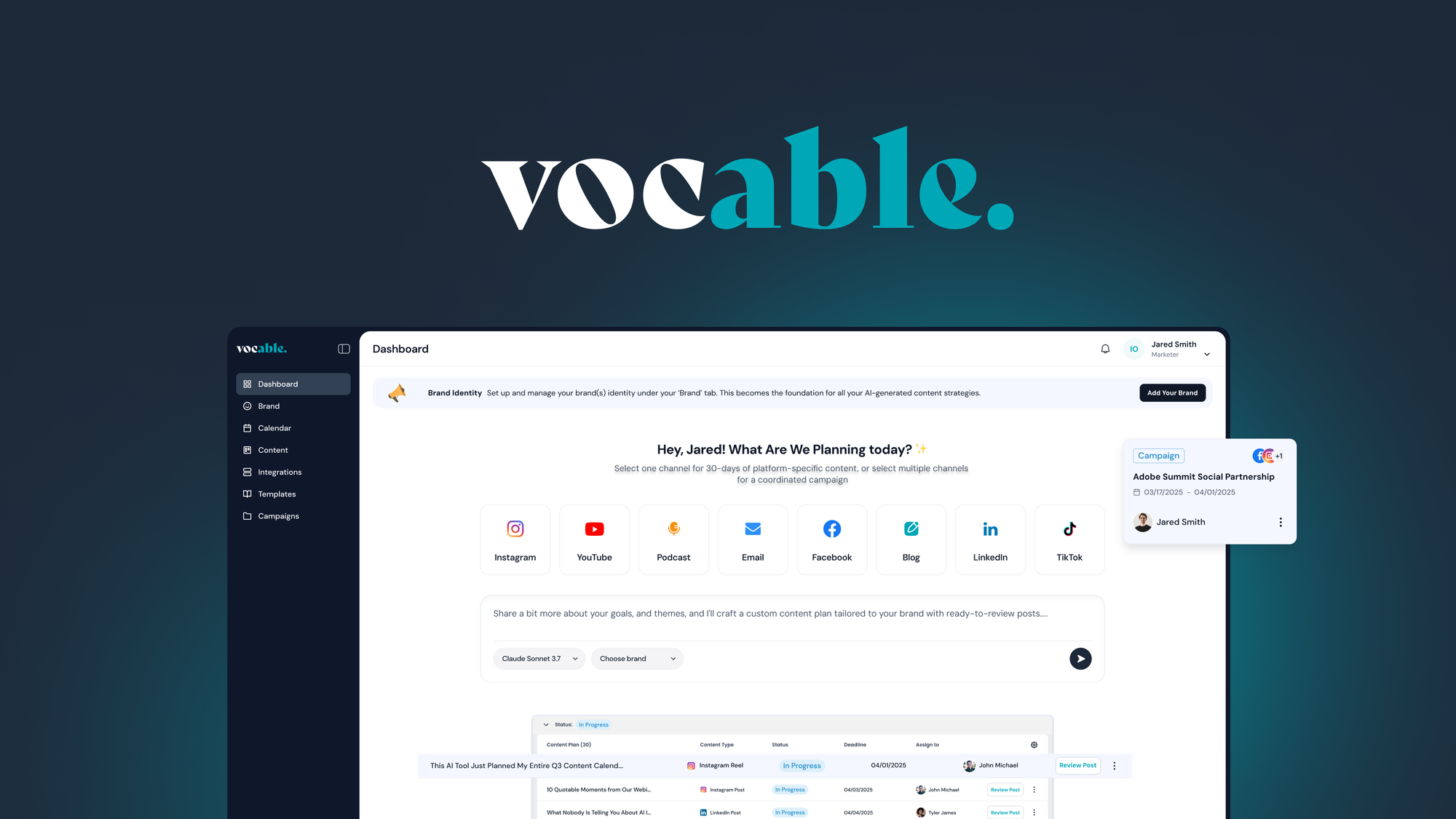
You can use Vocable AI as a hands-on content partner that helps you ideate, outline and draft multichannel posts without starting from a blank page. For everyday use it’s great at filling your social queue, producing blog drafts, and repurposing a single idea into captions, carousels and short guides.
For seasonal pushes — think Black Friday or product launches — the planner and templates speed up campaign drafts so you can iterate faster. Expect mostly polished copy that often needs light editing or formatting tweaks; some users pair Vocable with a quick visual tool (Canva or their editor) to finish designs. If you want a practical way to stop staring at an empty calendar and get a reliable baseline for your content, Vocable is worth trying.
What People Say
Customers often highlight how Vocable eliminates creative blocks and produces a wide range of usable content quickly. Users praise the quality of long-form outputs and templates, while a few note the need for minor edits and that some publishing integrations are still limited.
🗣️ TeamGenius
Solved the ideation problem — gives a 70–80% ready baseline so you’re not starting from zero, and support was fast and helpful when I had a URL setup issue.
🗣️ MarlysKA
Produced surprisingly high-quality content with one prompt — from social posts to a 10-page guide and an improved press release compared to other tools.
Integrations
|
Software |
Integration Quality |
|---|---|
|
WordPress |
Direct — users reported smooth draft publishing to WordPress, which cuts down copy/paste time |
|
Social Platforms (Facebook / LinkedIn / Instagram) |
Partial — some direct publishing exists but users still see limitations and want more seamless posting |
|
Zapier |
Planned/Requested — users have asked for Zapier to automate publishing and workflows, but it’s not broadly available yet |
|
Content export / copy |
Manual — easy to copy drafts into design tools like Canva or other editors when needed |
Security Features
|
Feature |
Protection Level |
|---|---|
|
Encryption (transit) |
Standard SSL/TLS for data in transit |
|
Account controls |
Plan-based access and basic seat management |
|
Data privacy options |
Vendor-managed — standard app data handling and privacy policies |
Collaboration
Vocable supports team accounts and shared drafts so you can hand off content or collaborate with freelancers; community resources and tutorials help onboard teammates faster.
Key Benefits
- 30-day multichannel content planner to keep your calendar filled
- Strong ideation: generates varied content formats from a single prompt
- Templates for guides, press releases and social posts to speed drafts
- Direct WordPress publishing for quicker blog workflows
- Active founder and community resources that help you learn fast
- Good customer support and regular product improvements
Current Price: $79.00
Rating: 4.24 (total: 50+)
Roundups – Plus Exclusive
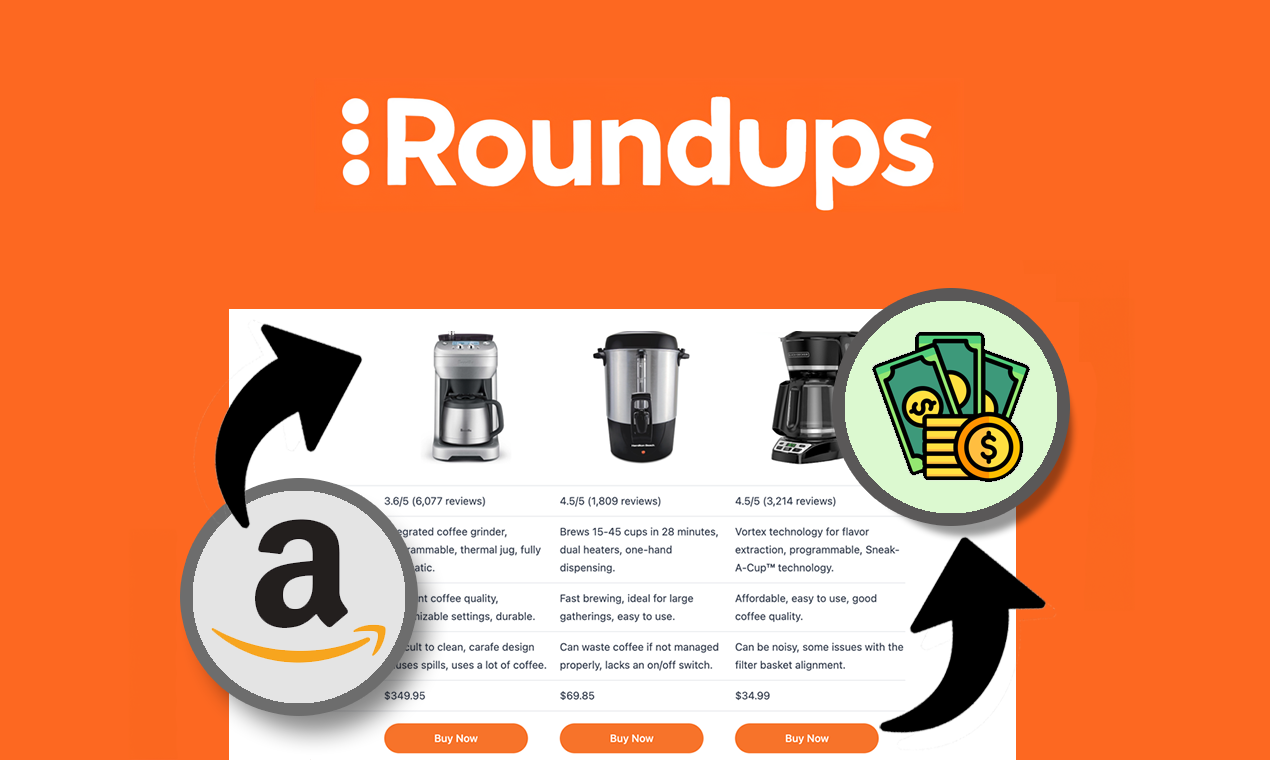
You can use Roundups to create polished product guides and comparison posts fast — it’s built around turning product lists into ready-to-edit content. For everyday use you’ll find it handy for publishing short buying guides, affiliate roundups, and comparison tables that already look professional. When you need something for a seasonal push — Black Friday gift lists, holiday buying guides, or a time-limited promo — the templates and product boxes speed up the process so you can publish more often.
The AI output is generally high quality and SEO-friendly, and there’s an editor so you can tweak tone, images and CTAs before you go live. Keep in mind Roundups is offered to AppSumo Plus members and while it has native Amazon and AppSumo integrations, you can also import products from other marketplaces by URL if you need extra flexibility.
If you want a practical way to produce affiliate-style review content without starting from scratch every time, Roundups is a solid tool to try.
What People Say
Customers frequently highlight how quickly Roundups turns product lists into publishable guides and praise the quality of comparison tables. People appreciate the editor and formatting, while a few note limited native integrations and minor publishing quirks that are being addressed.
🗣️ Avinash.Katta
You’ll notice the speed — Avinash.Katta created a complete buying guide in about three minutes and praised the AI output for not sounding robotic, plus the comparison tables and product boxes come out formatted and SEO-ready.
🗣️ TheContentrepreneur
If you churn out review or comparison articles often, this one is built for that workflow — TheContentrepreneur calls it an all-time favorite for producing high-quality reviews quickly and notes continual platform improvements.
Integrations
|
Software |
Integration Quality |
|---|---|
|
WordPress |
Direct — a WordPress plugin is available; users reported this reduces copy/paste steps though a few publishing quirks have been mentioned |
|
Amazon / AppSumo |
Native — built-in marketplace integrations exist but are limited to Amazon and AppSumo |
|
Product URL import |
Manual — you can import products from other marketplaces using URLs, which adds flexibility but isn’t a one-click native integration |
|
Content export / copy |
Manual — formatted product boxes and tables are easy to copy into your site or editor |
Security Features
|
Feature |
Protection Level |
|---|---|
|
Encryption (transit) |
Standard SSL/TLS for data in transit |
|
Account controls |
Plan-based access and membership gating (AppSumo Plus required to purchase) |
|
Data privacy |
Vendor-managed privacy policy and data handling practices |
Collaboration
You’ll use the built-in editor to review and refine AI drafts, adjust CTAs and images, and hand off polished drafts to teammates or freelancers. The editor keeps the workflow collaborative without forcing you to publish unreviewed copy.
Key Benefits
- Very fast generation — create full buying guides in minutes
- Polished comparison tables and product boxes that require minimal formatting
- Editor lets you customize tone, images and CTA labels before publishing
- Import products from other marketplaces via URL for added flexibility
- Outputs tend to be SEO-friendly, saving editing time
- Works well for both regular affiliate posts and seasonal campaigns
Current Price: $69.00
Rating: 4.71 (total: 59+)
FAQ
How Do I Choose The Right AI Content Writer During Black Friday Deals?
You should match the tool to your workflow, budget, and the content types you create. Look beyond headline prices and compare features such as SEO analysis, keyword research, multilingual support, templates, and direct publishing options; for example NEURONwriter offers strong SERP analysis and semantic recommendations starting around $99, WriterZen focuses on keyword research and clustering at about $79, and Writeseed provides a large template library and entry plans from $44. Always test before you buy by running a short trial project or reviewing sample outputs, check integrations with your CMS or Chrome extensions, and confirm support and refund policies so you aren’t surprised after purchase.
Will AI-Generated Content Rank Well And Be Original Enough For My Site?
You can get ranking gains when you combine AI-generated drafts with SEO data and human refinement; tools with built-in SEO features like semantic term suggestions or keyword clustering will speed the process, but AI alone rarely guarantees first-page ranking. Treat the AI output as a research-backed draft: add unique insights, verify facts, optimize headings and metadata, and run a plagiarism check because some built-in checkers have limits and may miss subtle duplication.
In short, rely on the AI to accelerate ideation and structure, but prioritize human edit and fact-check to ensure originality, accuracy, and SEO performance.
How Do I Manage Credits, Integrations, And Onboarding So You Don’t Hit Surprises?
Start by reading the plan details for daily or monthly limits and credit systems since some users report confusing credit usage; if credits or article costs aren’t clear, contact support before purchase and ask for examples of a typical project’s credit consumption. Set up your brand voice and templates early, connect CMS integrations like WordPress or Chrome extensions, and allocate time for onboarding because some UIs can feel complex at first; try a single pilot article, iterate prompts, and create a short internal style guide so the AI consistently reflects your tone and saves you time long term.
Wrapping Up
You now have a concise view of the best AI content writers available for Black Friday. If your priority is SEO research and semantic recommendations, NeuronWriter is the standout choice. If you need deep keyword research and clustering, WriterZen will speed up your planning.
For generous value, Writeseed offers broad templates and model access at a lower price point. Choose Creaitor if multi-channel publishing is important to you, Vocable if you want idea generation and a content planner, and Roundups if you publish product guides or comparison posts. Match the tool to your main use case, test it quickly with a small project, and pick the one that reduces your time-to-publish while improving content quality.
| Product | Image | Rating | Price | Key Highlights | Ideal For |
|---|---|---|---|---|---|
| NEURONwriter |
|
4.9/5 (794 reviews) | $99 |
|
|
| WriterZen |
|
4.65/5 (266 reviews) | $79 |
|
|
| Writeseed – AI Content Writer |
|
4.78/5 (135 reviews) | $44 |
|
|
| Creaitor.ai |
|
4.6/5 (118 reviews) | $89 |
|
|
| Vocable AI |
|
4.24/5 (50 reviews) | $79 |
|
|
| Roundups – Plus Exclusive |
|
4.71/5 (59 reviews) | $69 |
|
|
This Roundup is reader-supported. When you click through links we may earn a referral commission on qualifying purchases.