You rely on AI tools like ChatGPT, Gemini, and Claude to create faster, better content. Pretty Prompt refines and optimizes your AI chat prompts in one click, removing ambiguity, adding context, and storing your best prompts in a searchable library so you get more consistent, higher-quality outputs. This matters because clearer prompts save you time, reduce rework, and help you extract professional results from generative AI without learning complex prompt engineering.
Pretty Prompt
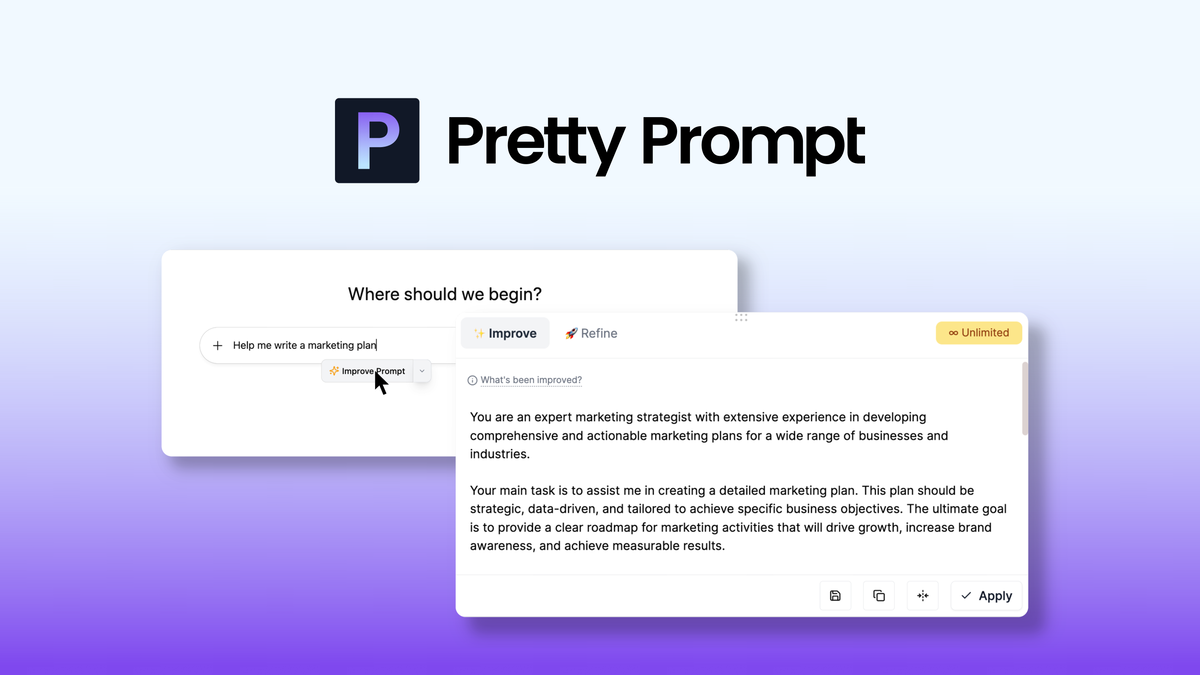
Pretty Prompt lives in your Chrome toolbar and helps you turn rough ideas into clear, high-performing AI prompts with a single click. You can paste a messy prompt, click to refine, and get a version that adds context, tightens instructions, and suggests tone or format tweaks so the AI returns better results.
It also stores your prompts in a searchable library, so the prompts you use for newsletters, social posts, or client briefs are right where you need them. Practical uses are everywhere: polish a cold outreach message before sending, generate a storm of blog outlines, or tidy up a prompt for a last-minute sales page. For special occasions, use it to quickly craft event copy, email sequences, or campaign briefs that match a specific tone.
If you write with AI regularly, it’s an easy tool to fold into your workflow — lightweight, fast, and oddly satisfying when your outputs start matching what you intended.
What People Say
Users often highlight how much time Pretty Prompt saves them and how the refined prompts produce more useful and consistent AI outputs. The searchable library and quick refinements come up repeatedly as the most valued features, while a few users ask for more integrations and mobile support.
Overall Sentiment: Positive

🗣️ Alex H.
I use Pretty Prompt daily to clean up prompts before sending them to ChatGPT. It tightened my prompts, reduced back-and-forth, and the searchable library means I don’t have to recreate prompts. Saved me a lot of time in my content workflow.
🗣️ Priya S.
The extension adds useful context automatically and handled tone shifts well. Integration with the browser and quick shortcuts made it part of my writing routine — especially helpful when I need consistent voice across social posts and emails.
|
Pros |
Cons |
|---|---|
|
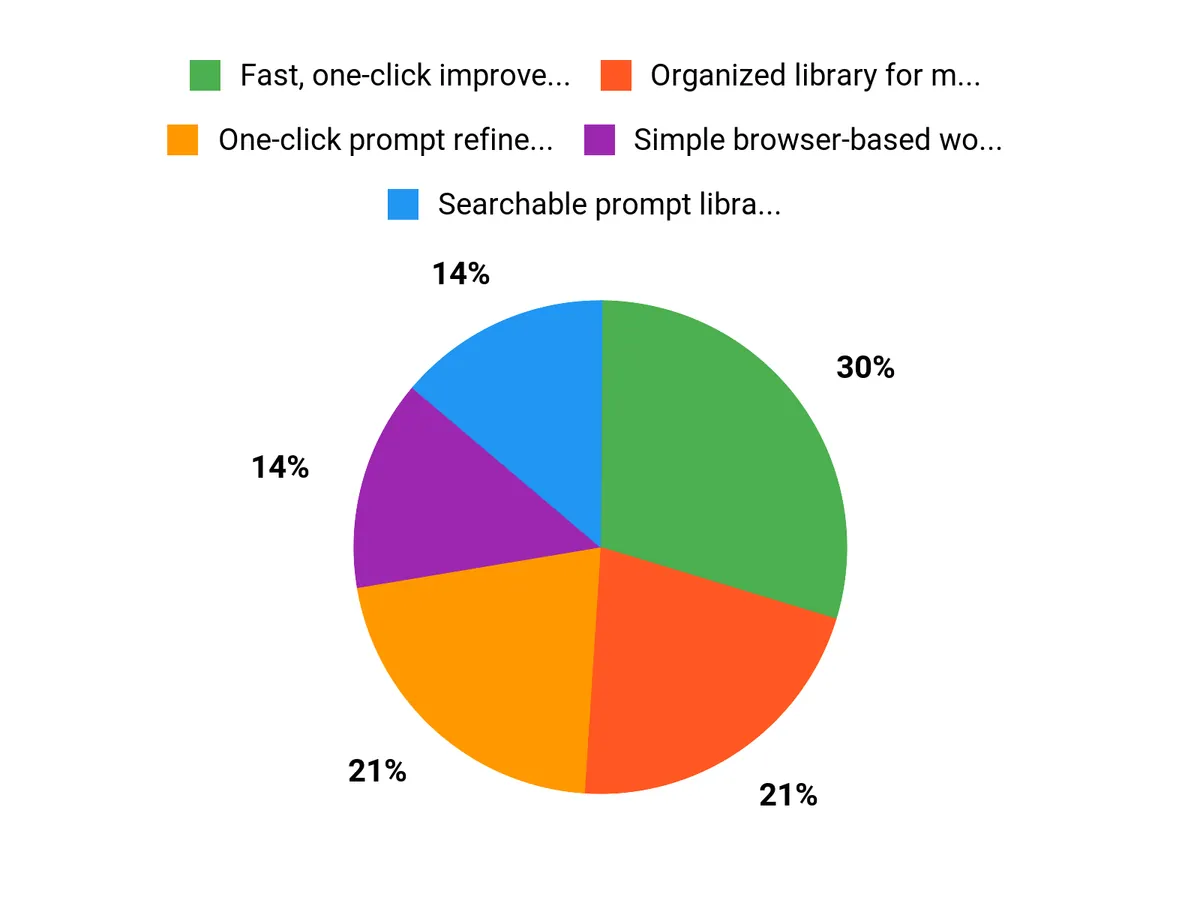
✅ Fast, one-click improvements to prompts |
❌ Browser extension only (no dedicated desktop app) |
|
✅ Organized library for managing prompt templates |
❌ Some advanced prompt needs may still require manual tweaking |
|
✅ Simple browser-based workflow that fits existing tools |
❌ Mobile editing and cross-device sync are limited |
Long-Term Cost Benefits
By improving prompt clarity, you get better outputs faster and reduce the number of iterations and API calls you need. Over months, that lowers time spent editing and can reduce AI usage costs if you pay per call or token.
Return On Investment
At $34.00, many creators and small teams see ROI quickly through saved hours and faster content production. If it shaves even a few hours a month from your workflow, it pays for itself in weeks.
Situational Benefits
|
Situation |
How It Helps |
|---|---|
|
Writing marketing emails |
Polishes subject lines and body copy so you get clearer CTAs and fewer rewrite cycles. |
|
Creating social media copy |
Adjusts tone and length to platform norms, helping posts land sooner without guesswork. |
|
Preparing client briefs |
Adds context and specificity so AI-generated drafts match client expectations and reduce revisions. |
Ease Of Use
|
Feature |
Ease Level |
|---|---|
|
Installation and setup |
Easy |
|
One-click refinement |
Very Easy |
|
Searching and organizing prompts |
Easy |
Versatility
Useful across writing tasks — from short social posts to longer briefs — and compatible with multiple LLMs, so you can use it in many parts of your content workflow.
Problem-Solving Ability
Helps solve common issues like vague prompts, inconsistent tone, and repetitive rewriting by producing clearer instructions for the AI and giving you a reliable library of templates.
Key Benefits
- One-click prompt refinement that reduces ambiguity
- Searchable prompt library for reuse and consistency
- Adds context and tone suggestions automatically
- Works with major LLMs like ChatGPT, Gemini, and Claude
- Saves time on editing and prompt iteration
Current Price: $34.00
Rating: 4.89
FAQ
What Is Pretty Prompt And How Does It Help Me?
Pretty Prompt is a Chrome extension that refines and optimizes your AI chat prompts in one click, removing ambiguity, adding context, and saving prompts in a searchable library so you get more consistent, useful outputs from tools like ChatGPT, Gemini, and Claude. You use it to turn rough ideas into clear instructions, store effective prompt templates for repeatable workflows, and iterate faster on tone, length, and context without rewriting each prompt from scratch; many users report quicker drafts and fewer revision cycles, and the product has a community rating of 4.89/5 and a current price of $34.
Is Pretty Prompt Worth The $34 Investment For Content Creators And Marketers?
Whether it’s worth $34 depends on how much you rely on LLMs and how much time you spend prompt-tuning; if you frequently generate briefs, social posts, ad copy, or research with AI, Pretty Prompt can pay for itself by reducing back-and-forth edits and by giving you reusable templates. Consider that it’s a Chrome extension, so you need to use Chrome, and check the extension’s permissions before installing; also compare the saved time and improved output quality against your current workflow.
If privacy is a concern, review the extension’s privacy policy and test with non-sensitive prompts first, and remember the tool optimizes prompts rather than guaranteeing perfect content—model choice and final editing still matter.
How Do I Use Pretty Prompt Effectively With ChatGPT, Gemini, Or Claude And Keep Prompts Organized?
Start each session by stating your goal and target audience, then use Pretty Prompt’s one-click refine to remove ambiguity and add relevant context; save refined prompts with clear, descriptive names and tags so you can quickly retrieve them for A/B testing or campaign reuse. You should version your best-performing prompts, keep a short note of the purpose and result for each entry, copy the refined prompt into the AI chat window, and iterate on outputs rather than relying on a single pass.
Practical tips: avoid pasting sensitive data, use the library to build role- or channel-specific templates (for example, product pages versus social captions), and run small controlled experiments to measure which prompt variations produce the best metrics for your campaigns.
Why Choose Pretty Prompt
You choose Pretty Prompt because it combines AI-powered, customizable prompt templates with seamless integrations and collaboration features so you can produce consistent, high-quality, SEO-optimized content much faster. Its intuitive interface, real-time teamwork capabilities, and continuous updates aligned with 2026 marketing trends let you spend less time drafting and more time on strategy, making it the go-to tool for creators and marketers.
Wrapping Up
Pretty Prompt is a practical Chrome extension for anyone who uses AI chat tools to produce content. By removing ambiguity, adding context, and saving prompts in a searchable library, it helps you get higher-quality outputs faster and build repeatable prompt workflows. At $34 and with a 4.89/5 rating, it’s a cost-effective way to improve your AI-driven content process and reduce time spent on revisions. Visit https://appsumo.com/products/prettyprompt/ to learn more.
This Roundup is reader-supported. When you click through links we may earn a referral commission on qualifying purchases.