You want tools that save time and reduce repetitive work. Triplo AI is a cross-platform AI assistant that can run inside any app on any device, letting you generate, edit, translate, and automate tasks without relying on browser extensions.
This review explains why Triplo matters to your productivity, how it protects your options with local and cloud LLM support, and how the $69 price point and a 4.91/5 rating translate into real-world value for your workflows.
Triplo AI
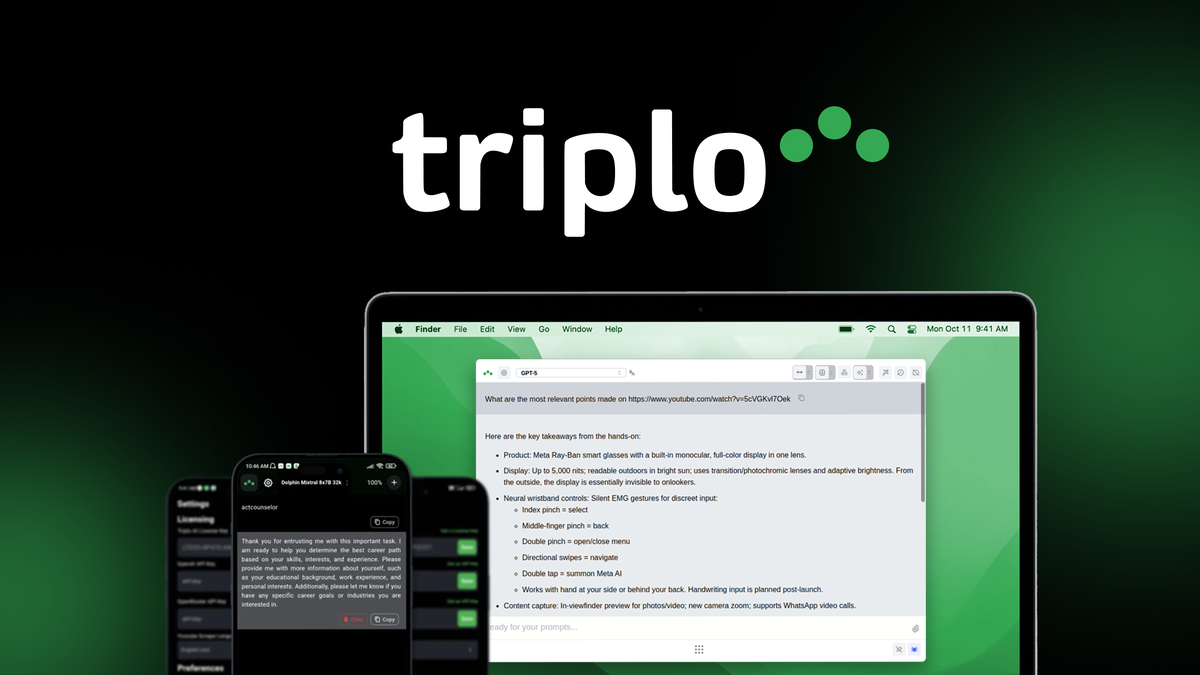
If you want an assistant that lives where you work — inside your apps, not in a separate browser tab — Triplo AI is built for that. You can summon it with hotkeys, use SmartPrompts to speed up writing or translating, and connect local or cloud LLMs when you need extra privacy or power.
For daily use, it helps you draft emails, summarize threads, and fill repetitive forms. For special projects, you can set up custom knowledge bases and automated sequences to generate briefs, translate content, or batch-edit text across apps.
It’s approachable enough for quick fixes and capable enough for deeper automations, so if you value staying in flow, you’ll probably find it worth a try.
What People Say
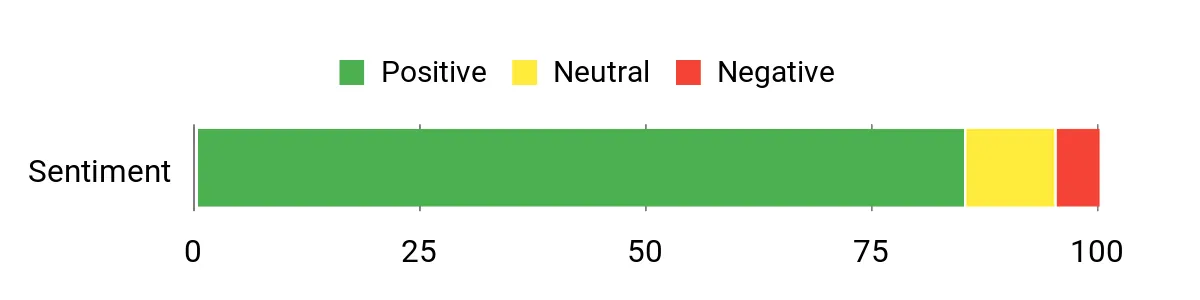
User feedback highlights Triplo’s in-app convenience and time savings. People often mention hotkeys, SmartPrompts, and local LLM support as standout features that make everyday tasks feel faster and more private.
Overall Sentiment: Positive
🗣️ SamR
I use Triplo inside my email client and Grammarly replacement — hotkeys bring up a contextual prompt, and SmartPrompts help rewrite chunks in seconds. The local LLM option gave me peace of mind for sensitive drafts.
🗣️ NinaTech
Set up a small knowledge base for our product FAQs and Triplo autofills answers across chat and docs. The in-app overlay feels native and saved me hours when onboarding content to our help center.
|
Pros |
Cons |
|---|---|
|
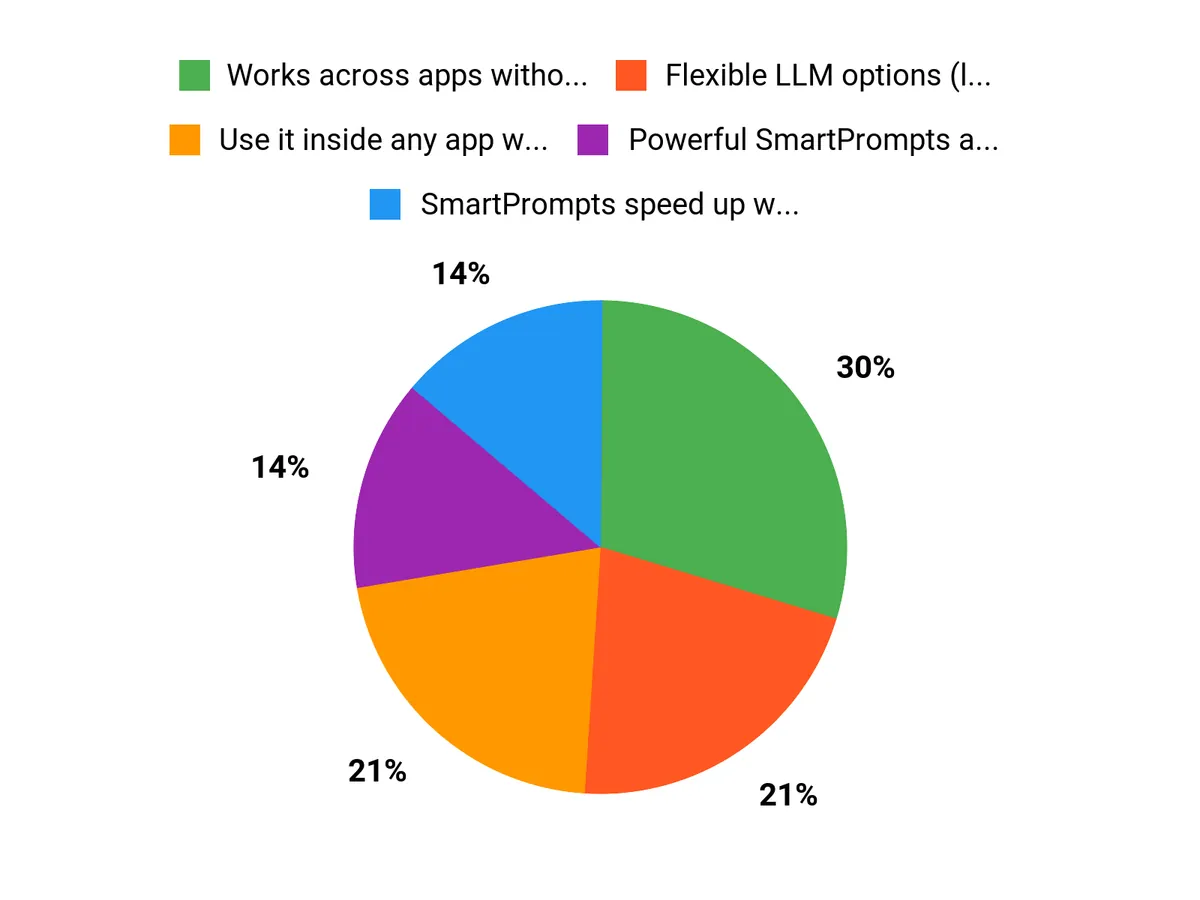
✅ Works across apps without browser extensions |
❌ Some advanced automation setup can take time to learn |
|
✅ Flexible LLM options (local and cloud) |
❌ Occasional learning curve for non-technical users when using local LLMs |
|
✅ Powerful SmartPrompts and custom knowledge bases |
|
|
✅ Good for both quick edits and multi-step automations |
Situational Benefits
|
Situation |
How It Helps |
|---|---|
|
Writing emails and responses |
You can summon Triplo to draft, shorten, or polish replies right where you type, cutting down back-and-forth and keeping your tone consistent. |
|
Customer support and FAQs |
Load a knowledge base and autofill answers across chat or docs so you reduce repetitive typing and maintain accurate responses. |
|
Content localization |
Translate and adapt content in-context with SmartPrompts, so translations feel natural without switching tools. |
|
Batch editing and formatting |
Use automations to run the same edits across multiple documents or fields, saving manual copy-paste work. |
Time Savings
Triplo removes context switching and automates repetitive steps; expect to reclaim minutes on single tasks and hours across a week when automations are in place.
Ease Of Use
|
Feature |
Ease Level |
|---|---|
|
Hotkey activation |
Easy |
|
SmartPrompts |
Easy |
|
Custom knowledge bases |
Moderate |
|
Local LLM setup |
Moderate |
Automation
Triplo lets you chain prompts, trigger actions with hotkeys, and run batch operations using saved workflows. It’s not a full low-code platform, but it covers most task automation needs without leaving your apps.
Support
Support comes via documentation and community resources; AppSumo deal pages often include vendor updates and support links for troubleshooting and setup help.
Key Benefits
- Use it inside any app with hotkeys for zero context switching
- SmartPrompts speed up writing, editing, and translating
- Supports local and cloud LLMs for flexible privacy and power
- Custom knowledge bases let you reuse company-specific content
- Automations handle repetitive multi-step tasks
Current Price: $69.00
Rating: 4.91/5
FAQ
What Is Triplo AI And Who Is It Best For?
You get a cross-platform AI assistant that runs inside any app on any device, letting you generate, edit, translate, and automate tasks using SmartPrompts, custom knowledge bases, local or cloud LLMs, and hotkeys without browser extensions or integrations. Triplo AI is ideal if you regularly perform repetitive text tasks, need fast in-app automation, or want to centralize prompts and knowledge for a team; its 4.91/5 rating reflects strong user satisfaction.
A practical tip is to start by creating a few SmartPrompts for your most frequent workflows and enable hotkeys so you can measure time savings quickly. Triplo AI excels when you want embedded automation rather than switching between web tools.
How Does Triplo AI Protect Your Data And Privacy?
You can control where your data is processed because Triplo AI supports both local and cloud LLMs and allows custom knowledge bases, so sensitive information can stay on your machine or private cloud if you prefer; this lets you minimize data sent to third parties. For best practice, keep highly confidential documents in a local knowledge base, regularly back up your local KB, and review the provider’s privacy policy before connecting third-party cloud models. Local LLMs are the safest option for reducing external exposure while still using advanced automation.
Is Triplo AI Worth Buying For $69 And How Should You Get Started?
You should weigh the $69 price against the time you’ll save automating recurring tasks and the access to features like SmartPrompts, hotkeys, and custom knowledge bases; many users find the cost justified given the platform’s 4.91/5 rating and cross-platform convenience. To get started, test Triplo AI on a small set of workflows, create reusable SmartPrompts, set up hotkeys for your top three actions, and compare the time spent before and after automation to calculate ROI; also check any extra costs if you plan to use paid cloud LLMs.
A practical tip is to document your prompts and KB structure early so you can scale automations reliably.
Why Choose Triplo
You should choose Triplo because it automates complex, repeatable workflows with AI-driven orchestration and a low-code interface, letting you build and customize end-to-end processes quickly while connecting to the tools you already use. Its scalable performance, real-time monitoring, continuous learning models, and enterprise-grade security mean you gain measurable time savings and reliability without sacrificing control or compliance.
Wrapping Up
If you want a versatile assistant that integrates directly into your existing apps, Triplo AI delivers a practical balance of automation, LLM flexibility, and usability. At a price of $69 and a 4.91/5 rating, it’s a compelling option if your goals are to reduce repetitive tasks, keep control of data with local model support, and speed up routine writing or translation work. Triplo is especially valuable for users who juggle multiple apps and want powerful automations without complex integrations, and the $69 price point makes advanced features accessible.
This Roundup is reader-supported. When you click through links we may earn a referral commission on qualifying purchases.